library(here) # Working directory management
library(pipebind) # Piping goodies
library(data.table) # Fast data manipulation (in-RAM)
library(tibble) # Extending data.frames (Tidyverse)
library(dplyr) # Manipulating data.frames - core (Tidyverse)
library(tidyr) # Manipulating data.frames - extras (Tidyverse)
library(stringr) # Manipulating strings (Tidyverse)
library(purrr) # Manipulating lists (Tidyverse)
library(lubridate) # Manipulating date/time (Tidyverse)
library(broom) # Tidying up models output (Tidymodels)
data.table::setDTthreads(parallel::detectCores(logical = FALSE))
Tip🆕 Expand for Version History
v1: 2022-05-19
v2: 2022-05-26
- Improved the section on keys (for ordering & filtering)
- Adding a section for translations of
Tidyr(and other similar packages)
- Capping tables to display 15 rows max when unfolded
- Improving table display (stripping, hiding the contents of nested columns, …)
v3: 2022-07-20
- Updating
data.table’s examples of dynamic programming usingenv
- Added new entries in processing examples
- Added new entries to Tidyr & Others: expand + complete, transpose/rotation, …
- Added
pivot_widerexamples to match thedcastones in the Pivots section
- Added some new examples here and there across the Basic Operations section
- Added an entry for operating inside nested data.frames/data.tables
- Added a processing example for run-length encoding (i.e. successive event tagging)
v4: 2022-08-05
- Improved
pivotsection: example of one-hot encoding (and reverse operation) + better examples of partial pivots with.value
- Added
tidyr::uncount()(row duplication) example.
- Improved both light & dark themes (code highlight, tables, …)
v5: 2023-03-12
- Revamped the whole document with grouped tabsets by framework for better readability
- Revamped the whole Basic Operations section: better structure, reworked examples, …
- Revamped the whole Joins section: better structure, new examples (e.g.
join_by), better explanations, …
- Updated code to reflect recent updates of the
Tidyverse:dplyr(1.1.0):.by,reframe,join_by,consecutive_id, …
purrr(1.0.0):list_rbind,list_cbind, …
tidyr(1.3.0): updated theseparate/separate_rowssection to the newerseparate_wider/longer_*
- Updated code to reflect recent updates of
data.table(1.14.9):let,DT(), …
Setup
NoteQuarto/knitr setup
Applying a custom theme to all gt tables
#-----------------------#
####🔺gt knit_prints ####
#-----------------------#
library(knitr)
library(gt)
knit_print.grouped_df <- function(x, options, ...) {
if ("grouped_df" %in% class(x)) {
x <- ungroup(x)
}
cl <- intersect(class(x), c("data.table", "data.frame"))[1]
nrows <- ifelse(
!is.null(options$total_rows),
as.numeric(options$total_rows),
dim(x)[1]
)
is_open <- ifelse(
!is.null(options[["details-open"]]),
as.logical(options[["details-open"]]),
FALSE
)
cat(str_glue("\n<details{ifelse(is_open, ' open', '')}>\n"))
cat("<summary>\n")
cat(str_glue("\n*{cl} [{scales::label_comma()(nrows)} x {dim(x)[2]}]*\n"))
cat("</summary>\n<br>\n")
print(gt::as_raw_html(style_table(x, nrows)))
cat("</details>\n\n")
}
registerS3method("knit_print", "grouped_df", knit_print.grouped_df)
knit_print.data.frame <- function(x, options, ...) {
cl <- intersect(class(x), c("data.table", "data.frame"))[1]
nrows <- ifelse(
!is.null(options$total_rows),
as.numeric(options$total_rows),
dim(x)[1]
)
is_open <- ifelse(
!is.null(options[["details-open"]]),
as.logical(options[["details-open"]]),
FALSE
)
cat(str_glue("\n<details{ifelse(is_open, ' open', '')}>\n"))
cat("<summary>\n")
cat(str_glue("\n*{cl} [{scales::label_comma()(nrows)} x {dim(x)[2]}]*\n"))
cat("</summary>\n<br>\n")
print(gt::as_raw_html(style_table(x, nrows)))
cat("</details>\n\n")
}
registerS3method("knit_print", "data.frame", knit_print.data.frame)1 Basic Operations
Tip
data.table general syntax:
DT[row selector (filter/sort), col selector (select/mutate/summarize/reframe/rename), modifiers (group/join by)]
Data
MT <- as.data.table(mtcars)
IRIS <- as.data.table(iris)[, Species := as.character(Species)]1.1 Arrange / Order
1.1.1 Basic ordering
mtcars |> arrange(desc(cyl))data.frame [32 x 11]
| [ omitted 17 entries ] |
mtcars |> arrange(desc(cyl), gear)data.frame [32 x 11]
| [ omitted 17 entries ] |
MT[order(-cyl)]data.table [32 x 11]
| [ omitted 17 entries ] |
MT[order(-cyl, gear)]data.table [32 x 11]
| [ omitted 17 entries ] |
Alternatives
MT[fsort(cyl, decreasing = TRUE)]
setorder(MT, -cyl, gear)[]
setorderv(MT, c("cyl", "gear"), c(-1, 1))[]Ordering on a character column
IRIS[chorder(Species)]data.table [150 x 5]
| [ omitted 135 entries ] |
1.1.2 Ordering with keys
- Keys physically reorders the dataset within the RAM (by reference)
- No memory is used for sorting (other than marking which columns is the key)
- No memory is used for sorting (other than marking which columns is the key)
- The dataset is marked with an attribute “sorted”
- The dataset is always sorted in ascending order, with NA first
- Using
keybyinstead ofbywhen grouping will set the grouping factors as keys
Tip
See this SO post for more information on keys.
setkey(MT, cyl, gear)
setkeyv(MT, c("cyl", "gear"))
MTdata.table [32 x 11]
| [ omitted 17 entries ] |
To see over which keys (if any) the dataset is currently ordered:
haskey(MT)[1] TRUE
key(MT)[1] “cyl” “gear”
Warning
Unless our task involves repeated subsetting on the same column, the speed gain from key-based subsetting could effectively be nullified by the time needed to reorder the data in RAM, especially for large datasets.
1.1.3 Ordering with (secondary) indices
setindexcreates an index for the provided columns, but doesn’t physically reorder the dataset in RAM.
- It computes the ordering vector of the dataset’s rows according to the provided columns in an additional attribute called index
setindex(MT, cyl, gear)
setindexv(MT, c("cyl", "gear"))
MTdata.table [32 x 11]
| [ omitted 17 entries ] |
We can see the additional index attribute added to the data.table:
names(attributes(MT))[1] "row.names" "class" "names"
[4] ".internal.selfref" "index" We can get the currently used indices with:
indices(MT)[1] “cyl__gear”
Adding a new index doesn’t remove a previously existing one:
setindex(MT, hp)
indices(MT)[1] “cyl__gear” “hp”
We can thus use indices to pre-compute the ordering for the columns (or combinations of columns) that we will be using to group or subset by frequently !
1.2 Subset / Filter
1.2.1 Basic filtering
mtcars |> filter(cyl >= 6 & disp < 180)data.frame [5 x 11]
iris |> filter(Species %in% c("setosa"))data.frame [50 x 5]
| [ omitted 35 entries ] |
MT[cyl >= 6 & disp < 180]data.table [5 x 11]
IRIS[Species %chin% c("setosa")]data.table [50 x 5]
| [ omitted 35 entries ] |
For non-regex character filtering, use %chin% (which is a character-optimized version of %in%)
1.2.2 Filter based on a range
mtcars |> filter(between(disp, 200, 300))data.frame [5 x 11]
MT[disp %between% c(200, 300)]data.table [5 x 11]
1.2.3 Filter with a pattern
mtcars |> filter(str_detect(disp, "^\\d{3}\\."))data.frame [9 x 11]
MT[disp %like% "^\\d{3}\\."]data.table [9 x 11]
Variants
IRIS[Species %flike% "set"] # Fixed (not regex)
IRIS[Species %ilike% "Set"] # Ignore case
IRIS[Species %plike% "(?=set)"] # Perl-like regex1.2.4 Filter on row number (slicing)
mtcars |> slice(1) # slice_head(n = 1)data.frame [1 x 11]
mtcars |> slice(n()) # slice_tail(n = 1)data.frame [1 x 11]
Slice a random sample of rows:
mtcars |> slice_sample(n = 5)data.frame [5 x 11]
MT[1]data.table [1 x 11]
MT[.N]data.table [1 x 11]
Slice a random sample of rows:
MT[sample(.N, 5)]data.table [5 x 11]
1.2.5 Filter distinct/unique rows
mtcars |> distinct(mpg, hp, .keep_all = TRUE)data.frame [31 x 11]
| [ omitted 16 entries ] |
Number of unique rows/values
n_distinct(mtcars$gear)[1] 3
unique(MT, by = c("mpg", "hp")) # cols = other_cols_to_keepdata.table [31 x 11]
| [ omitted 16 entries ] |
Number of unique rows/values
uniqueN(MT, by = "gear")[1] 3
1.2.6 Filter by keys
When keys or indices are defined, we can filter based on them, which is often a lot faster.
Tip
We do not even need to specify the column name we are filtering on: the values will be attributed to the keys in order.
setkey(MT, cyl)
MT[.(6)] # Equivalent to MT[cyl == 6]data.table [7 x 11]
setkey(MT, cyl, gear)
MT[.(6, 4)] # Equivalent to MT[cyl == 6 & gear == 4]data.table [4 x 11]
1.2.7 Filter by indices
To filter by indices, we can use the on argument, which creates a temporary secondary index on the fly (if it doesn’t already exist).
IRIS["setosa", on = "Species"]data.table [50 x 5]
| [ omitted 35 entries ] |
Since the time to compute the secondary indices is quite small, we don’t have to use setindex, unless the task involves repeated subsetting on the same columns.
Tip
When using on with multiple values, the nomatch = NULL argument avoids creating combinations that do not exist in the original data (i.e. for cyl == 5 here)
MT[.(4:6, 4), on = c("cyl", "gear"), nomatch = NULL]data.table [12 x 11]
1.2.8 Filtering on multiple columns
Filtering with one function taking multiple columns:
f_dat <- \(d) with(d, gear > cyl) # Function taking the data and comparing fix columns
f_dyn <- \(x, y) x > y # Function taking dynamic columns and comparing themcols <- c("gear", "cyl")Manually:
mtcars |> filter(f_dyn(gear, cyl))data.frame [2 x 11]
Dynamically:
Taking column names:
mtcars |> filter(f_dyn(!!!syms(cols)))data.frame [2 x 11]
Taking the data:
mtcars |> filter(f_dat(cur_data()))data.frame [2 x 11]
Manually:
MT[f_dyn(gear, cyl), ]data.table [2 x 11]
Dynamically:
Taking column names:
MT[do.call(f_dyn, args), env = list(args = as.list(cols))] # exec(f_dyn, !!!args)data.table [2 x 11]
Taking the data:
MT[f_dat(MT), ] # Can't use .SD in idata.table [2 x 11]
In two steps:
NoteWe can’t use
.SD in the i clause of a data.table
But we can bypass that constraint by doing the operation in two steps:
- Obtaining a vector stating if each row of the table matches or not the conditions
- Filtering the original table based on the vector
MT[MT[, f_dat(.SD)]]data.table [2 x 11]
Combining multiple filtering functions:
This function filters rows that have 2 or more non-zero decimals, and we’re going to call it on multiple columns:
decp <- \(x) str_length(str_remove(as.character(abs(x)), ".*\\.")) >= 2cols <- c("drat", "wt", "qsec")Manually:
mtcars |> filter(decp(drat) & decp(wt) & decp(qsec))data.frame [13 x 11]
Dynamically:
mtcars |> filter(if_all(cols, decp))data.frame [13 x 11]
Manually:
MT[decp(drat) & decp(wt) & decp(qsec), ]data.table [13 x 11]
Dynamically:
MT[Reduce(`&`, lapply(mget(cols), decp)), ]data.table [13 x 11]
Alternatives
MT[Reduce(`&`, lapply(MT[, ..cols], decp)), ]
MT[Reduce(`&`, lapply(v1, decp)), env = list(v1 = as.list(cols))]In two steps:
MT[MT[, Reduce(`&`, lapply(.SD, decp)), .SDcols = cols]]data.table [13 x 11]
1.3 Rename
Note
setnames changes column names in-place
Manually:
mtcars |> rename(CYL = cyl, MPG = mpg)data.frame [32 x 11]
| [ omitted 17 entries ] |
Dynamically:
mtcars |> rename_with(\(c) toupper(c), .cols = matches("^d"))data.frame [32 x 11]
| [ omitted 17 entries ] |
Manually:
setnames(copy(MT), c("cyl", "mpg"), c("CYL", "MPG"))[]data.table [32 x 11]
| [ omitted 17 entries ] |
Dynamically:
setnames(copy(MT), grep("^d", colnames(MT)), toupper)[]data.table [32 x 11]
| [ omitted 17 entries ] |
1.4 Select
1.4.1 Basic selection
MT |> select(matches("cyl|disp"))data.table [32 x 2]
| [ omitted 17 entries ] |
Remove a column:
mtcars |> select(!cyl) # select(-cyl)data.frame [32 x 10]
| [ omitted 17 entries ] |
MT[, .(mpg, disp)]data.table [32 x 2]
| [ omitted 17 entries ] |
Alternatives
MT[, .SD, .SDcols = c("mpg", "disp")]
MT[, .SD, .SDcols = patterns("mpg|disp")]Remove a column:
MT[, !"cyl"] # MT[, -"cyl"]data.table [32 x 10]
| [ omitted 17 entries ] |
In-place:
copy(MT)[, cyl := NULL][]data.table [32 x 10]
| [ omitted 17 entries ] |
Select & Extract:
mtcars |> pull(disp) [1] 160.0 160.0 108.0 258.0 360.0 225.0 360.0 146.7 140.8 167.6 167.6 275.8
[13] 275.8 275.8 472.0 460.0 440.0 78.7 75.7 71.1 120.1 318.0 304.0 350.0
[25] 400.0 79.0 120.3 95.1 351.0 145.0 301.0 121.0Select & Rename:
mtcars |> select(dispp = disp)data.frame [32 x 1]
| [ omitted 17 entries ] |
Select & Extract:
MT[, disp] [1] 160.0 160.0 108.0 258.0 360.0 225.0 360.0 146.7 140.8 167.6 167.6 275.8
[13] 275.8 275.8 472.0 460.0 440.0 78.7 75.7 71.1 120.1 318.0 304.0 350.0
[25] 400.0 79.0 120.3 95.1 351.0 145.0 301.0 121.0Select & Rename:
MT[, .(dispp = disp)]data.table [32 x 1]
| [ omitted 17 entries ] |
1.4.2 Dynamic selection
1.4.2.1 By name
cols <- c("cyl", "disp")mtcars |> select(all_of(cols)) # select(!!cols)data.frame [32 x 2]
| [ omitted 17 entries ] |
Removing a column:
mtcars |> select(!{{ cols }}) # select(-matches(cols))data.frame [32 x 9]
| [ omitted 17 entries ] |
MT[, ..cols]data.table [32 x 2]
| [ omitted 17 entries ] |
Alternatives
MT[, mget(cols)] # Retired
MT[, cols, with = FALSE] # Retired
MT[, .SD, .SDcols = cols]
MT[, j, env = list(j = as.list(cols))]Removing a column:
MT[, !..cols]data.table [32 x 9]
| [ omitted 17 entries ] |
Alternatives
MT[, .SD, .SDcols = !cols]
MT[, -j, env = list(j = I(cols))]In-place:
copy(MT)[, (cols) := NULL][]data.table [32 x 9]
| [ omitted 17 entries ] |
1.4.2.2 By pattern
mtcars |> select(-matches("^d"))data.frame [32 x 9]
| [ omitted 17 entries ] |
mtcars |> select(where(\(x) all(x != 0))) # Only keep columns where no value == 0data.frame [32 x 9]
| [ omitted 17 entries ] |
MT[, .SD, .SDcols = !patterns("^d")]data.table [32 x 9]
| [ omitted 17 entries ] |
MT[, .SD, .SDcols = \(x) all(x != 0)] # Only keep columns where no value == 0data.table [32 x 9]
| [ omitted 17 entries ] |
Alternatives
copy(MT)[, grep("^d", colnames(MT)) := NULL][] # In place (column deletion)
MT[, MT[, sapply(.SD, \(x) all(x != 0))], with = FALSE]1.4.2.3 By column type
iris |> select(where(\(x) !is.numeric(x)))data.frame [150 x 1]
| [ omitted 135 entries ] |
IRIS[, .SD, .SDcols = !is.numeric]data.table [150 x 1]
| [ omitted 135 entries ] |
1.5 Mutate / Transmute
data.table can mutate in 2 ways:
- Using = creates a new DT with the new columns only (like dplyr::transmute)
- Using := (or let) modifies the current dt in place (like dplyr::mutate)
The function modifying a column should be the same size as the original column (or group).
If only one value is provided with :=, it will be recycled to the whole column/group.
If the number of values provided is smaller than the original column/group:
- With := or let, an error will be raised, asking to manually specify how to recycle the values.
- With =, it will behave like dplyr::summarize (if a grouping has been specified).
1.5.1 Basic transmute
Only keeping the transformed columns.
mtcars |> transmute(cyl = cyl * 2)data.frame [32 x 1]
| [ omitted 17 entries ] |
MT[, .(cyl = cyl * 2)]data.table [32 x 1]
| [ omitted 17 entries ] |
Transmute & Extract:
MT[, (cyl <- cyl * 2)] [1] 12 12 8 12 16 12 16 8 8 12 12 16 16 16 16 16 16 8 8 8 8 16 16 16 16
[26] 8 8 8 16 12 16 81.5.2 Basic mutate
Modifies the transformed column in-place and keeps every other column as-is.
mtcars |> mutate(cyl = 200)data.frame [32 x 11]
| [ omitted 17 entries ] |
mtcars |> mutate(cyl = 200, gear = 5)data.frame [32 x 11]
| [ omitted 17 entries ] |
mtcars |> mutate(mean_cyl = mean(cyl, na.rm = TRUE))data.frame [32 x 12]
| [ omitted 17 entries ] |
mtcars |> mutate(gear_plus = lead(gear))data.frame [32 x 12]
| [ omitted 17 entries ] |
copy(MT)[, cyl := 200][]data.table [32 x 11]
| [ omitted 17 entries ] |
copy(MT)[, let(cyl = 200, gear = 5)][]data.table [32 x 11]
| [ omitted 17 entries ] |
Alternatives
copy(MT)[, `:=`(cyl = 200, gear = 5)][]
copy(MT)[, c("cyl", "gear") := .(200, 5)][]copy(MT)[, mean_cyl := mean(cyl, na.rm = TRUE)][]data.table [32 x 12]
| [ omitted 17 entries ] |
copy(MT)[, gearplus := shift(gear, 1, type = "lead")][] # lead, lag, cyclicdata.table [32 x 12]
| [ omitted 17 entries ] |
1.5.3 Dynamic trans/mutate
LHS <- "mean_mpg"
RHS <- "mpg"mtcars |> mutate({{ LHS }} := mean(mpg))data.frame [32 x 12]
| [ omitted 17 entries ] |
mtcars |> mutate("{LHS}" := mean(.data[[RHS]]))data.frame [32 x 12]
| [ omitted 17 entries ] |
mtcars |> mutate({{ LHS }} := cur_data()[[RHS]] |> mean())data.frame [32 x 12]
| [ omitted 17 entries ] |
mtcars |> mutate({{ LHS }} := pick({{ RHS }}) |> unlist() |> mean())data.frame [32 x 12]
| [ omitted 17 entries ] |
copy(MT)[, (LHS) := mean(mpg)][] # (LHS) <=> c(LHS)data.table [32 x 12]
| [ omitted 17 entries ] |
copy(MT)[, j := mean(mpg), env = list(j = LHS)][]data.table [32 x 12]
| [ omitted 17 entries ] |
copy(MT)[, c(LHS) := mean(get(RHS))][]data.table [32 x 12]
| [ omitted 17 entries ] |
copy(MT)[, x := mean(y), env = list(x = LHS, y = RHS)][]data.table [32 x 12]
| [ omitted 17 entries ] |
1.5.4 Conditional trans/mutate
Mutate everything based on multiple conditions:
One condition:
mtcars |> mutate(Size = if_else(cyl >= 6, "BIG", "small", missing = "Unk"))data.frame [32 x 12]
| [ omitted 17 entries ] |
Nested conditions:
mtcars |>
mutate(
Size = case_when(
cyl %between% c(2, 4) ~ "small",
cyl %between% c(4, 8) ~ "BIG",
.default = "Unk"
)
)data.frame [32 x 12]
| [ omitted 17 entries ] |
Mutate only rows meeting conditions:
mtcars |> mutate(BIG = case_when(am == 1 ~ cyl >= 6))data.frame [32 x 12]
| [ omitted 17 entries ] |
Mutate everything based on multiple conditions:
One condition:
copy(MT)[, Size := fifelse(cyl >= 6, "BIG", "small", na = "Unk")][]data.table [32 x 12]
| [ omitted 17 entries ] |
Nested conditions:
copy(MT)[,
Size := fcase(
cyl %between% c(2, 4) , "small" ,
cyl %between% c(4, 8) , "BIG" ,
default = "Unk"
)
][]data.table [32 x 12]
| [ omitted 17 entries ] |
Mutate only rows meeting conditions:
copy(MT)[am == 1, BIG := cyl >= 6][]data.table [32 x 12]
| [ omitted 17 entries ] |
1.5.5 Complex trans/mutate
1.5.5.1 Column-wise operations
new <- c("min_mpg", "min_disp")
old <- c("mpg", "disp")Apply one function to multiple columns:
mtcars |> mutate(across(c("mpg", "disp"), min, .names = "min_{col}"))data.frame [32 x 13]
| [ omitted 17 entries ] |
As a transmute:
mtcars |> transmute(across(c("mpg", "disp"), min, .names = "min_{col}"))data.frame [32 x 2]
| [ omitted 17 entries ] |
Dynamically:
mtcars |> mutate(across(all_of(old), min, .names = "min_{col}"))data.frame [32 x 13]
| [ omitted 17 entries ] |
copy(MT)[,
c("min_mpg", "min_disp") := lapply(.SD, min),
.SDcols = c("mpg", "disp")
][]data.table [32 x 13]
| [ omitted 17 entries ] |
copy(MT)[, c("min_mpg", "min_disp") := lapply(.(mpg, disp), min)][]As a transmute:
A second step is needed to add min_ before the names:
(MT[, lapply(.SD[, .(mpg, disp)], min)] |> bind(d, setnames(d, names(d), \(x) paste0("min_", x))))[]data.table [1 x 2]
Dynamically:
copy(MT)[, c(new) := lapply(mget(old), min)][]data.table [32 x 13]
| [ omitted 17 entries ] |
copy(MT)[, c(new) := lapply(x, min), env = list(x = as.list(old))][]Apply multiple functions to one or multiple column:
col <- "mpg"
cols <- c("mpg", "disp")mtcars |> mutate(min_mpg = min(mpg), max_mpg = max(mpg))data.frame [32 x 13]
| [ omitted 17 entries ] |
mtcars |> mutate(across(mpg, list(min = min, max = max), .names = "{fn}_{col}"))data.frame [32 x 13]
| [ omitted 17 entries ] |
Multiple columns:
mtcars |> mutate(across(matches("mpg|disp"), list(min = min, max = max), .names = "{fn}_{col}"))data.frame [32 x 15]
| [ omitted 17 entries ] |
mtcars |> mutate(across(cols, list(min = \(x) min(x), max = \(x) max(x)), .names = "{fn}_{col}"))data.frame [32 x 15]
| [ omitted 17 entries ] |
copy(MT)[, let(min_mpg = min(mpg), max_mpg = max(mpg))][]data.table [32 x 13]
| [ omitted 17 entries ] |
copy(MT)[, c("min_mpg", "max_mpg") := .(min(mpg), max(mpg))][]data.table [32 x 13]
| [ omitted 17 entries ] |
Alternatives
copy(MT)[, c("min_mpg", "max_mpg") := lapply(.(mpg), \(x) list(min(x), max(x))) |> do.call(rbind, args = _)][]
copy(MT)[, c("min_mpg", "max_mpg") := lapply(.(get(col)), \(x) list(min(x), max(x))) |> unlist(recursive = FALSE)][]Multiple columns:
copy(MT)[,
c("min_mpg", "min_disp", "max_mpg", "max_disp") := lapply(.SD, \(x) list(min(x), max(x))) |>
do.call(rbind, args = _),
.SDcols = cols
][]data.table [32 x 15]
| [ omitted 17 entries ] |
copy(MT)[,
outer(c("min", "max"), cols, str_c, sep = "_") |> t() |> as.vector() := lapply(.SD, \(x) list(min(x), max(x))) |>
do.call(rbind, args = _),
.SDcols = cols
][]data.table [32 x 15]
| [ omitted 17 entries ] |
1.5.5.2 Row-wise operations
Apply one function to multiple columns (row-wise):
mtcars |> rowwise() |> mutate(rsum = sum(c_across(where(is.numeric)))) |> ungroup()data.frame [32 x 12]
| [ omitted 17 entries ] |
mtcars |> mutate(rsum = pmap_dbl(across(where(is.numeric)), \(...) sum(c(...))))data.frame [32 x 12]
| [ omitted 17 entries ] |
Hybrid base R-Tidyverse:
mtcars |> mutate(rsum = apply(across(where(is.numeric)), 1, sum))data.frame [32 x 12]
| [ omitted 17 entries ] |
mtcars |> mutate(rsum = rowSums(across(where(is.numeric))))data.frame [32 x 12]
| [ omitted 17 entries ] |
copy(MT)[, rsum := rowSums(.SD), .SDcols = is.numeric][]data.table [32 x 12]
| [ omitted 17 entries ] |
copy(MT)[, rsum := apply(.SD, 1, sum), .SDcols = is.numeric][]data.table [32 x 12]
| [ omitted 17 entries ] |
Apply multiple functions to multiple columns (row-wise)
mtcars |>
mutate(pmap_dfr(across(where(is.numeric)), \(...) list(mean = mean(c(...)), sum = sum(c(...)))))data.frame [32 x 13]
| [ omitted 17 entries ] |
Alternatives
mtcars |>
mutate(
pmap(across(where(is.numeric)), \(...) list(mean = mean(c(...)), sum = sum(c(...)))) |>
bind_rows()
)Hybrid base R-Tidyverse:
mtcars |>
mutate(apply(across(where(is.numeric)), 1, \(x) list(mean = mean(x), sum = sum(x))) |> bind_rows())data.frame [32 x 13]
| [ omitted 17 entries ] |
copy(MT)[, c("rmean", "rsum") := apply(.SD, 1, \(x) list(mean(x), sum(x))) |> rbindlist(), .SDcols = is.numeric][]data.table [32 x 13]
| [ omitted 17 entries ] |
Apply an anonymous function inside the DT:
MT[, {
print(summary(mpg))
x <- cyl + gear
.(RN = 1:.N, CG = x)
}]data.table [32 x 2]
| [ omitted 17 entries ] |
1.6 Group / Aggregate
Note
The examples listed apply a grouping but do nothing (using .SD to simply keep all columns as is)
cols <- c("cyl", "disp")
cols_missing <- c("cyl", "disp", "missing_col")1.6.1 Basic grouping
mtcars |> group_by(cyl, gear)data.frame [32 x 11]
| [ omitted 17 entries ] |
Dynamic grouping:
mtcars |> group_by(across(all_of(cols)))data.frame [32 x 11]
| [ omitted 17 entries ] |
Use any_of if you expect some columns to be missing in the data.
mtcars |> group_by(across(any_of(cols_missing)))data.frame [32 x 11]
| [ omitted 17 entries ] |
MT[, .SD, by = .(cyl, gear)]data.table [32 x 11]
| [ omitted 17 entries ] |
Dynamic grouping:
MT[, .SD, by = cols]data.table [32 x 11]
| [ omitted 17 entries ] |
To handle potentially missing columns:
MT[, .SD, by = intersect(cols_missing, colnames(MT))]data.table [32 x 11]
| [ omitted 17 entries ] |
1.6.2 Current group info
mtcars |>
group_by(cyl) |>
filter(cur_group_id() == 1) |> # To only keep one plot
group_walk(\(d, g) with(d, plot(hp, mpg, main = paste("Cyl:", g$cyl))))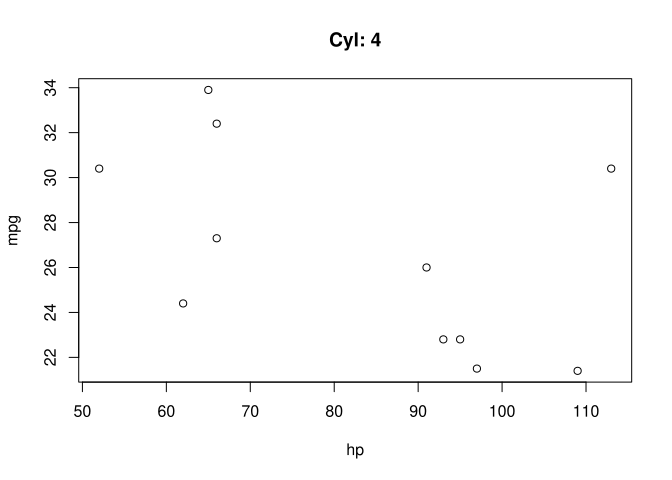
Use the .BY argument to get the current group name:
MT[, with(.SD, plot(hp, mpg, main = paste("Cyl:", .BY))), keyby = cyl]1.7 Row numbers & indices
1.7.1 Adding row or group indices
.I: Row indices
.N: Number of rows
.GRP: Group indices
.NGRP: Number of groups
1.7.1.1 Adding rows indices:
mtcars |> mutate(I = row_number())data.frame [32 x 12]
| [ omitted 17 entries ] |
copy(MT)[, I := .I][]data.table [32 x 12]
| [ omitted 17 entries ] |
1.7.1.2 Adding group indices:
Adding group indices (same index for each group):
mtcars |> summarize(GRP = cur_group_id(), .by = cyl)data.frame [3 x 2]
Mutate instead of summarize:
mtcars |> mutate(GRP = cur_group_id(), .by = cyl)data.frame [32 x 12]
| [ omitted 17 entries ] |
Adding row numbers within each group:
mtcars |> mutate(I_GRP = row_number(), .by = gear)data.frame [32 x 12]
| [ omitted 17 entries ] |
Adding group indices (same index for each group):
MT[, .GRP, by = cyl]data.table [3 x 2]
Mutate instead of summarize:
copy(MT)[, GRP := .GRP, by = cyl][]data.table [32 x 12]
| [ omitted 17 entries ] |
Adding row numbers within each group:
copy(MT)[, I_GRP := 1:.N, by = gear][]data.table [32 x 12]
| [ omitted 17 entries ] |
copy(MT)[, I_GRP := rowid(gear)][]data.table [32 x 12]
| [ omitted 17 entries ] |
1.7.2 Filtering based on row numbers (slicing)
1.7.2.1 Extracting a specific row
mtcars |> dplyr::first()data.frame [1 x 11]
mtcars |> dplyr::last()data.frame [1 x 11]
mtcars |> dplyr::nth(5)data.frame [1 x 11]
MT[1, ] # data.table::first(MT)data.table [1 x 11]
MT[.N, ] # data.table::last(MT)data.table [1 x 11]
MT[5, ]data.table [1 x 11]
1.7.2.2 Slicing rows
tail(mtcars, 10)data.frame [10 x 11]
mtcars |> slice((n() - 9):n())data.frame [10 x 11]
mtcars |> slice_tail(n = 10)data.frame [10 x 11]
tail(MT, 10)data.table [10 x 11]
MT[(.N - 9):.N]data.table [10 x 11]
MT[MT[, .I[(.N - 9):.N]]] # Gets the last 10 rows' indices and filters based on themdata.table [10 x 11]
1.7.2.3 Slicing groups
Random sample by group:
mtcars |> slice_sample(n = 5, by = cyl)data.frame [15 x 11]
Filter groups by condition:
mtcars |> filter(n() >= 8, .by = cyl)data.frame [25 x 11]
| [ omitted 10 entries ] |
mtcars |> group_by(cyl) |> group_modify(\(d, g) if (nrow(d) >= 8) d else data.frame())data.frame [25 x 11]
| [ omitted 10 entries ] |
Random sample by group:
MT[, .SD[sample(.N, 5)], keyby = cyl]data.table [15 x 11]
Filter groups by condition:
MT[, if (.N >= 8) .SD, by = cyl]data.table [25 x 11]
| [ omitted 10 entries ] |
MT[, .SD[.N >= 8], by = cyl]data.table [25 x 11]
| [ omitted 10 entries ] |
1.7.3 Extracting row indices
1.7.3.1 Getting the row numbers of specific observations:
Row number of the first and last observation of each group:
mtcars |> reframe(I = cur_group_rows()[c(1, n())], .by = cyl)data.frame [6 x 2]
… while keeping all other columns:
mtcars |> mutate(I = row_number()) |> slice(c(1, n()), .by = cyl)data.frame [6 x 12]
Row number of the first and last observation of each group:
MT[, .I[c(1, .N)], by = cyl]data.table [6 x 2]
… while keeping all other columns:
copy(MT)[, I := .I][, .SD[c(1, .N)], by = cyl]data.table [6 x 12]
1.7.3.2 Extracting row indices after filtering
Extracting row numbers in the original dataset:
mtcars |> mutate(I = row_number()) |> filter(gear == 4) |> pull(I)[1] 1 2 3 8 9 10 11 18 19 20 26 32
Extracting row numbers in the new dataset (after filtering):
mtcars |> filter(gear == 4) |> mutate(I = row_number()) |> pull(I)[1] 1 2 3 4 5 6 7 8 9 10 11 12
Warning
.I gives the vector of row numbers after any subsetting/filtering has been done
Extracting row numbers in the original dataset:
MT[, .I[gear == 4]][1] 1 2 3 8 9 10 11 18 19 20 26 32
Extracting row numbers in the new dataset (after filtering):
MT[gear == 4, .I][1] 1 2 3 4 5 6 7 8 9 10 11 12
1.8 Relocate
1.8.1 Basic reordering
mtcars |> relocate(cyl, .after = last_col())data.frame [32 x 11]
| [ omitted 17 entries ] |
Relocate a new column (mutate + relocate):
mtcars |> mutate(GRP = cur_group_id(), .by = cyl, .before = 1)data.frame [32 x 12]
| [ omitted 17 entries ] |
setcolorder(copy(MT), "cyl", after = last(colnames(MT)))[]data.table [32 x 11]
| [ omitted 17 entries ] |
setcolorder(copy(MT), c(setdiff(colnames(MT), "cyl"), "cyl"))[]data.table [32 x 11]
| [ omitted 17 entries ] |
Relocate a new column (mutate + relocate):
setcolorder(copy(MT)[, GRP := .GRP, by = cyl], "GRP")[]data.table [32 x 12]
| [ omitted 17 entries ] |
1.8.2 Reordering by column names
mtcars |> select(sort(tidyselect::peek_vars()))data.frame [32 x 11]
| [ omitted 17 entries ] |
mtcars |> select(carb, sort(tidyselect::peek_vars()))data.frame [32 x 11]
| [ omitted 17 entries ] |
setcolorder(copy(MT), sort(colnames(MT)))[]data.table [32 x 11]
| [ omitted 17 entries ] |
setcolorder(copy(MT), c("carb", sort(setdiff(colnames(MT), "carb"))))[]data.table [32 x 11]
| [ omitted 17 entries ] |
1.9 Summarize/Reframe
With data.table, one needs to use the = operator to summarize. It takes a function that returns a list of values smaller than the original column (or group) size. By default, it will only keep the modified columns (like a transmute).
1.9.1 Basic summary
mtcars |> summarize(mean_cyl = mean(cyl))data.frame [1 x 1]
MT[, .(mean_cyl = mean(cyl))]data.table [1 x 1]
1.9.2 Grouped summary
By default, dplyr::summarize will arrange the result by the grouping factor:
mtcars |> summarize(N = n(), .by = cyl)data.frame [3 x 2]
To order by the grouping factor, use group_by() instead of .by:
mtcars |> group_by(cyl) |> summarize(N = n())data.frame [3 x 2]
By default, data.table keeps the order the groups originally appear in:
MT[, .N, by = cyl]data.table [3 x 2]
To order by the grouping factor, use keyby instead of by:
MT[, .N, keyby = cyl]data.table [3 x 2]
Grouped on a temporary variable:
mtcars |> group_by(cyl > 6) |> summarize(N = n())data.frame [2 x 2]
MT[, .N, by = .(cyl > 6)]data.table [2 x 2]
1.9.3 Column-wise summary
1.9.3.1 Apply one function to multiple columns:
mtcars |> summarize(across(everything(), mean), .by = cyl)data.frame [3 x 11]
By column type:
mtcars |> summarize(across(where(is.double), mean), .by = cyl)data.frame [3 x 11]
By matching column names:
mtcars |> summarize(across(matches("^d"), mean), .by = cyl)data.frame [3 x 3]
MT[, lapply(.SD, mean), by = cyl]data.table [3 x 11]
By column type:
MT[, lapply(.SD[, -"cyl"], mean), by = cyl, .SDcols = is.double]data.table [3 x 11]
By matching column names:
MT[, lapply(.SD, mean), by = cyl, .SDcols = patterns("^d")]data.table [3 x 3]
1.9.3.2 Applying multiple functions to one column:
mtcars |> summarize(mean(mpg), sd(mpg), .by = cyl)data.frame [3 x 3]
With column names:
mtcars |> summarize(mean = mean(mpg), sd = sd(mpg), .by = cyl)data.frame [3 x 3]
mtcars |> summarize(across(mpg, list(mean = mean, sd = sd), .names = "{fn}"), .by = cyl)data.frame [3 x 3]
MT[, .(mean(mpg), sd(mpg)), by = cyl]data.table [3 x 3]
MT[, lapply(.(mpg), \(x) list(mean(x), sd(x))) |> rbindlist(), by = cyl]data.table [3 x 3]
With column names:
MT[, .(mean = mean(mpg), sd = sd(mpg)), by = cyl]data.table [3 x 3]
MT[, lapply(.SD, \(x) list(mean = mean(x), sd = sd(x))) |> rbindlist(), by = cyl, .SDcols = "mpg"]data.table [3 x 3]
1.9.3.3 Apply multiple functions to multiple columns:
Note
Depending on the output we want (i.e. having the function’s output as columns or rows), we can either provide a list of functions to apply (list_of_fns), or a function returning a list (fn_returning_list).
cols <- c("mpg", "hp")
list_of_fns <- list(mean = \(x) mean(x), sd = \(x) sd(x))
fn_returning_list <- \(x) list(mean = mean(x), sd = sd(x))One column per function, one row per variable:
reframe(mtcars, map_dfr(pick(all_of(cols)), fn_returning_list, .id = "Var"), .by = cyl)data.frame [6 x 4]
Alternatives
reframe(mtcars, map(pick(all_of(cols)), fn_returning_list) |> bind_rows(.id = "Var"), .by = cyl)One column per variable, one row per function:
reframe(mtcars, map_dfr(list_of_fns, \(f) map(pick(all_of(cols)), f), .id = "Fn"), .by = cyl)data.frame [6 x 4]
One column per function/variable combination:
summarize(mtcars, across(all_of(cols), list_of_fns, .names = "{col}.{fn}"), .by = cyl)data.frame [3 x 5]
One column per function, one row per variable:
MT[, lapply(.SD, fn_returning_list) |> rbindlist(idcol = "Var"), by = cyl, .SDcols = cols]data.table [6 x 4]
One column per variable, one row per function:
MT[, lapply(list_of_fns, \(f) lapply(.SD, f)) |> rbindlist(idcol = "Fn"), by = cyl, .SDcols = cols]data.table [6 x 4]
One column per function/variable combination:
MT[, lapply(.SD, fn_returning_list) |> unlist(recursive = FALSE), by = cyl, .SDcols = cols]data.table [3 x 5]
data.table [3 x 5]
Different column order & naming scheme:
MT[,
lapply(list_of_fns, \(f) lapply(.SD, f)) |>
unlist(recursive = FALSE),
by = cyl,
.SDcols = cols
]data.table [3 x 5]
Using dcast (see next section for more on pivots):
dcast(MT, cyl ~ ., fun.agg = list_of_fns, value.var = cols) # list(mean, sd)data.table [3 x 5]
2 Pivots
2.1 Melt / Longer
Data:
(fam1 <- as.data.frame(FAM1))data.frame [5 x 5]
(fam2 <- as.data.frame(FAM2))data.frame [5 x 8]
2.1.1 Basic Melt/Longer
Tip
data.table::melt does partial argument matching and thus accepts shortened versions of its arguments. E.g.: variable.name <=> variable (or var), value.name <=> value (or val), measure.vars <=> measure, id.vars <=> id, pattern <=> pat, …
One group of columns –> single value column
pivot_longer(FAM1, cols = matches("dob_"), names_to = "variable")data.frame [15 x 4]
melt(FAM1, measure.vars = c("dob_child1", "dob_child2", "dob_child3"))data.table [15 x 4]
melt(FAM1, measure = patterns("^dob_"))data.table [15 x 4]
One group of columns –> multiple value columns
# No direct equivalentmelt(FAM1, measure = patterns(child1 = "child1$", child2 = "child2$|child3$"))data.table [10 x 5]
2.1.2 Merging multiple yes/no columns
Melting multiple presence/absence columns into a single variable:
Data:
(MOVIES_WIDE <- as.data.table(movies_wide))data.table [3 x 4]
pivot_longer(
movies_wide,
-ID,
names_to = "Genre",
values_transform = \(x) ifelse(x == 0, NA, x),
values_drop_na = TRUE
) |>
select(-value)data.frame [6 x 2]
melt(MOVIES_WIDE, id.vars = "ID", var = "Genre")[value != 0][order(ID), -"value"]data.table [6 x 2]
2.1.3 Partial pivot
Multiple groups of columns –> Multiple value columns
Using .value:
Tip
Using the .value special identifier allows to do a “half” pivot: the values that would be listed as rows under .value are instead used as columns.
pivot_longer(fam2, matches("^dob|^gender"), names_to = c(".value", "child"), names_sep = "_child")data.frame [15 x 5]
Using .value:
melt(FAM2, measure = patterns("^dob", "^gender"), val = c("dob", "gender"), var = "child")data.table [15 x 5]
Manually:
colA <- str_subset(colnames(FAM2), "^dob")
colB <- str_subset(colnames(FAM2), "^gender")
melt(FAM2, measure = list(colA, colB), val = c("dob", "gender"), var = "child")data.table [15 x 5]
Alternatives
melt(FAM2, measure = list(a, b), val = c("dob", "gender"), var = "child") |>
substitute2(env = list(a = I(str_subset(colnames(FAM2), "^dob")), b = I(str_subset(colnames(FAM2), "^gender")))) |>
eval()Using measure and value.name:
melt(FAM2, measure = measure(value.name, child = \(x) as.integer(x), sep = "_child"))data.table [15 x 5]
Alternatives
melt(FAM2, measure = measurev(list(value.name = NULL, child = as.integer), pat = "(.*)_child(\\d)"))2.2 Dcast / Wider
General idea:
- Pivot around the combination of id.vars (LHS of the formula)
- The measure.vars (RHS of the formula) are the ones whose values become column names
- The value.var are the ones the values are taken from to fill the new columns
Data:
(fam1l <- as.data.frame(FAM1L))data.frame [15 x 4]
(fam2l <- as.data.frame(FAM2L))data.frame [15 x 5]
2.2.1 Basic Dcast/Wider
pivot_wider(fam1l, id_cols = c("family_id", "age_mother"), names_from = "variable")data.frame [5 x 5]
dcast(FAM1L, family_id + age_mother ~ variable)data.table [5 x 5]
Using all the columns as IDs:
pivot_wider(fam1l, names_from = variable)data.frame [5 x 5]
Note
By default, id_cols = everything()
FAM1L |> dcast(... ~ variable)data.table [5 x 5]
Note
... <=> “every unused column”
Multiple value columns –> Multiple groups of columns:
pivot_wider(
fam2l,
id_cols = c("family_id", "age_mother"),
values_from = c("dob", "gender"),
names_from = "child",
names_sep = "_child"
)data.frame [5 x 8]
dcast(FAM2L, family_id + age_mother ~ child, value.var = c("dob", "gender"), sep = "_child")data.table [5 x 8]
dcast(FAM2L, ... ~ child, value.var = c("dob", "gender"), sep = "_child")data.table [5 x 8]
Dynamic names in the formula:
var_name <- "variable"
id_vars <- c("family_id", "age_mother")pivot_wider(fam1l, id_cols = c(family_id, age_mother), names_from = {{ var_name }})data.frame [5 x 5]
Multiple dynamic names:
pivot_wider(fam1l, id_cols = all_of(id_vars), names_from = variable)data.frame [5 x 5]
dcast(FAM1L, family_id + age_mother ~ base::get(var_name))data.table [5 x 5]
dcast(FAM1L, family_id + age_mother ~ x) |> substitute2(env = list(x = var_name)) |> eval()data.table [5 x 5]
Multiple dynamic names:
dcast(FAM1L, str_c(str_c(id_vars, collapse = " + "), " ~ variable"))data.table [5 x 5]
dcast(FAM1L, x + y ~ variable) |> substitute2(env = list(x = id_vars[1], y = id_vars[2])) |> eval()data.table [5 x 5]
2.2.2 Renaming (prefix/suffix) the columns
pivot_wider(fam1l, names_from = variable, values_from = value, names_prefix = "Attr: ")data.frame [5 x 5]
pivot_wider(fam1l, names_from = variable, values_from = value, names_glue = "Attr: {variable}")data.frame [5 x 5]
dcast(FAM1L, family_id + age_mother ~ paste0("Attr: ", variable))data.table [5 x 5]
2.2.3 Unused combinations
Warning
The logic is inverted between dplyr (keep) and data.table (drop):
pivot_wider(fam1l, names_from = variable, values_from = value, id_expand = T, names_expand = F)data.frame [25 x 5]
| [ omitted 10 entries ] |
dcast(FAM1L, family_id + age_mother ~ variable, drop = c(FALSE, TRUE)) # (drop_LHS, drop_RHS)data.table [25 x 5]
| [ omitted 10 entries ] |
2.2.4 Subsetting
fam1l |>
filter(value >= lubridate::ymd(20030101)) |>
pivot_wider(id_cols = c("family_id", "age_mother"), names_from = "variable")data.frame [3 x 5]
Warning
AFAIK, pivot_wider can’t do this on its own.
dcast(FAM1L, family_id + age_mother ~ variable, subset = .(value >= lubridate::ymd(20030101)))data.table [3 x 5]
2.2.5 Aggregating
In data.table, not specifying the column holding the measure vars (the names) will result in an empty column counting the number of columns that should have been created for all the measures (i.e. the length() of the result).
(pivot_wider(fam1l, id_cols = c(family_id, age_mother), names_from = variable, values_fn = length) |>
mutate(length = apply(pick(matches("_child")), 1, \(x) sum(x))) |>
select(-matches("^dob_")))data.frame [5 x 3]
dcast(FAM1L, family_id + age_mother ~ .)data.table [5 x 3]
Customizing the default behavior (length()) using the fun.aggregate (<=> fun.agg or fun) argument:
Here, we count the number of child for each each combination of (family_id + age_mother) -> sum all non-NA value
(pivot_wider(
fam1l,
id_cols = c(family_id, age_mother),
names_from = variable,
values_fn = \(x) !is.na(x)
) |>
mutate(child_count = apply(pick(matches("_child")), 1, \(x) sum(x))) |>
select(-matches("^dob_")))data.frame [5 x 3]
Alternatives
(pivot_wider(fam1l, id_cols = c(family_id, age_mother), names_from = variable, values_fn = \(x) !is.na(x)) |>
mutate(child_count = pmap_int(pick(matches("_child")), \(...) sum(...))) |>
select(-matches("^dob_")))
(pivot_wider(fam1l, id_cols = c(family_id, age_mother), names_from = variable, values_fn = \(x) !is.na(x)) |>
rowwise() |>
mutate(child_count = sum(c_across(matches("_child")))) |>
ungroup() |>
select(-matches("^dob_")))(dcast(FAM1L, family_id + age_mother ~ ., fun = \(x) sum(!is.na(x))) |> setnames(".", "child_count"))data.table [5 x 3]
Applying multiple fun.agg:
Data:
(DTL <- data.table(
id1 = sample(5, 20, TRUE),
id2 = sample(2, 20, TRUE),
group = sample(letters[1:2], 20, TRUE),
v1 = runif(20),
v2 = 1L
))data.table [20 x 5]
| [ omitted 5 entries ] |
- Multiple aggregation functions applied to one variable:
(pivot_wider(
DTL,
id_cols = c("id1", "id2"),
names_from = "group",
values_from = "v1",
names_glue = "{.value}_{.name}",
names_vary = "slowest",
names_sort = TRUE,
values_fn = \(x) tibble("sum" = sum(x), "mean" = mean(x))
) |>
unnest(cols = starts_with("v1"), names_sep = "_"))data.frame [10 x 6]
- Multiple aggregation functions applied to multiple variables (all combinations):
(DTL |>
pivot_wider(
id_cols = c("id1", "id2"),
names_from = "group",
names_vary = "slowest",
names_sort = TRUE,
values_from = c("v1", "v2"),
values_fn = \(x) tibble("sum" = sum(x), "mean" = mean(x))
) |>
unnest(cols = matches("^v1|^v2"), names_sep = "_"))data.frame [10 x 10]
- Multiple aggregation functions applied to multiple variables (one-to-one):
# Not possible with pivot_wider AFAIK- Multiple aggregation functions applied to one variable:
dcast(DTL, id1 + id2 ~ group, fun = list(sum, mean), value.var = "v1")data.table [10 x 6]
- Multiple aggregation functions applied to multiple variables (all combinations):
dcast(DTL, id1 + id2 ~ group, fun = list(sum, mean), value.var = c("v1", "v2"))data.table [10 x 10]
- Multiple aggregation functions applied to multiple variables (one-to-one):
Here, we apply sum to v1 (for both group a & b), and mean to v2 (for both group a & b)
dcast(DTL, id1 + id2 ~ group, fun = list(sum, mean), value.var = list("v1", "v2"))data.table [10 x 6]
2.2.6 One-hot encoding
Making each level of a variable into a presence/absence column:
movies_longdata.frame [6 x 3]
pivot_wider(
movies_long,
names_from = "Genre",
values_from = "Genre",
values_fn = \(x) !is.na(x),
values_fill = FALSE
)data.frame [6 x 5]
dcast(MOVIES_LONG, ... ~ Genre, value.var = "Genre", fun = \(x) !is.na(x), fill = FALSE)data.table [6 x 5]
3 Joins
3.1 Mutating Joins
The purpose of mutating joins is to add columns/information from one table to another, by matching their rows.
Data:
(CITIES <- as.data.table(cities))data.table [10 x 3]
(COUNTRIES <- as.data.table(countries))data.table [9 x 2]
3.1.1 Left/Right Join
Both left & right joins append the columns of one table to those of another, in the order they are given (i.e. columns of the first table will appear first in the result). However, how rows are matched (and how the ones not finding a match are handled) depends on the type of join:
- Left joins match on the rows of the first (left) table. Unmatched rows from the left table will be kept, but not the right’s.
- Right joins match on the rows of the second (right) table. Unmatched rows from the right table will be kept, but not the left’s.
TipExample
To find out which country each city belongs to, we’re going to merge countries into cities.
Here, we want to add data to the cities table by matching each city to a country (by their country_id). The ideal output would have the columns of cities first, and keep all rows from cities, even if unmatched: thus we will use a left join.
- As a left join:
left_join(cities, countries, by = "country_id", multiple = "all")data.frame [10 x 4]
Warning
data.table natively only supports right joins
It filters the rows of the first table by those of the second (FIRST[SECOND]), but only keeps the unmatched rows from the second table.
The normal output of the join
CITIES[COUNTRIES, on = .(country_id)]data.table [10 x 4]
The unmatched rows from countries were kept, but not the ones from cities. Here are two possible workarounds:
Inverting the two tables (countries first), and then inverting the order of the columns in the result:
COUNTRIES[CITIES, .(city_id, city, country_id, country), on = .(country_id)]data.table [10 x 4]
Adding the columns of countries (in-place) to cities during the join:
copy(CITIES)[COUNTRIES, c("country_id", "country") := list(i.country_id, i.country), on = .(country_id)][]data.table [10 x 4]
We could accomplish a similar result with a right join by inverting the order of appearance of the columns. But the order of the columns in the result will be less ideal (countries first):
- As a right join:
right_join(countries, cities, by = "country_id", multiple = "all")data.frame [10 x 4]
COUNTRIES[CITIES, on = .(country_id)][order(country_id)]data.table [10 x 4]
3.1.2 Full Join
Fully merges the two tables, keeping the unmatched rows from both tables.
full_join(cities, countries, by = join_by(country_id))data.frame [11 x 4]
merge(CITIES, COUNTRIES, by = "country_id", all = TRUE)[order(city_id), .(city_id, city, country_id, country)]data.table [11 x 4]
3.1.3 Cross Join
Generating all combinations of the IDs of both tables.
cross_join(select(cities, city), select(countries, country))data.frame [90 x 2]
| [ omitted 75 entries ] |
CJ(city = CITIES[, city], country = COUNTRIES[, country])data.table [90 x 2]
| [ omitted 75 entries ] |
3.1.4 Inner Join
Merges the columns of both tables and only returns the rows that matched between both tables (no unmatched rows are kept).
inner_join(countries, cities, by = "country_id", multiple = "all")data.frame [9 x 4]
COUNTRIES[CITIES, on = .(country_id), nomatch = NULL]data.table [9 x 4]
3.1.5 Self join
Merging the table with itself. Typically used on graph-type data represented as a flat table (e.g. hierarchies).
Data:
data.frame [5 x 4]
The goal here is to find the identity of everyone’s n+1 by merging the table on itself:
left_join(hiera, hiera, by = join_by(manager_id == id))data.frame [5 x 7]
HIERA[HIERA, on = .(manager_id = id), nomatch = NULL]data.table [4 x 7]
3.2 Filtering Joins
Use to filter one table (left) based on another (right): it will only keep the columns from the left table and will either keep (semi join) or discard (anti join) the rows where IDs match between both tables.
3.2.1 Semi join
Note
Will give the same result as an inner join, but will only keep the columns of the first table (no information is added).
Here, it will filter countries to only keep the countries having a matching country_id in the cities table.
semi_join(countries, cities, by = join_by(country_id))data.frame [8 x 2]
COUNTRIES[country_id %in% CITIES[, unique(country_id)]]data.table [8 x 2]
Alternatives
fsetdiff(COUNTRIES, COUNTRIES[!CITIES, on = "country_id"])
COUNTRIES[!eval(COUNTRIES[!CITIES, on = .(country_id)])]3.2.2 Anti join
Here, it will filter countries to only keep the countries having no matching country_id in the cities table.
anti_join(countries, cities, by = join_by(country_id))data.frame [1 x 2]
COUNTRIES[!CITIES, on = .(country_id)]data.table [1 x 2]
Alternatives
COUNTRIES[fsetdiff(COUNTRIES[, .(country_id)], CITIES[, .(country_id)])]3.3 Non-equi joins
Non-equi joins are joins where the the condition to match rows are no longer strict equalities between the tables’ ID columns.
We can divide non-equi joins between:
- Unequality joins: a general unequality condition between IDs, that could result in multiple matches.
- Rolling joins: only keep the match that minimizes the distance between the IDs (i.e. the closest to perfect equality).
- Overlap joins: matching to all values within a range.
Tip
Please refer to this page of the second edition of R4DS for more detailed explanations.
Data:
Events:
data.table [3 x 4]
Strikes:
data.table [4 x 4]
3.3.1 Unequality join
Inequality joins are joins (left, right, inner, …) that use inequalities (<, <=, >=, or >) to specify the matching criteria.
Warning
The condition has to be a simple inequality between existing columns: it cannot be an arbitrary function (e.g. date.x <= min(date.y) * 2 will not work).
- For each event, which strikes occurred (finished) before the event ?
inner_join(events, strikes, join_by(e.start >= s.end))data.frame [2 x 8]
EVENTS[STRIKES, on = .(e.start >= s.end), nomatch = NULL]data.table [2 x 7]
Caution
When specifying an equality or inequality condition, data.table will merge the two columns: only one will remain, with the values of the second column and the name of the first. Here, e.start will have the values of s.end (which will be removed).
I’m not sure if this is a bug or not.
TipA useful use-case for un-equality joins is to avoid duplicates when generating combinations of items in cross joins:
Data:
data.frame [3 x 2]
All permutations: with duplicates (order matters)
cross_join(people, people)data.frame [9 x 4]
All combinations: without duplicates (order doesn’t matter)
inner_join(people, people, join_by(id < id))data.frame [3 x 4]
3.3.2 Rolling joins
Rolling joins are a special type of inequality join where instead of getting every row that satisfies the inequality, we get the one where the IDs are the closest to equality.
- Which strike started the soonest after the beginning an event ?
inner_join(events, strikes, join_by(closest(e.start <= s.start)))data.frame [3 x 8]
- Which strike ended the soonest before the start an event ?
inner_join(events, strikes, join_by(closest(e.start >= s.end)))data.frame [1 x 8]
- Which strike started the soonest after the beginning an event ?
EVENTS[STRIKES, on = .(e.start == s.start), roll = "nearest"][, .SD[which.min(abs(e.start - e.end))], by = "e.id"]data.table [3 x 7]
Note
Using the roll argument relaxes the equality constraint of the join (e.start == s.end).
- Which strike ended the soonest before the start an event ?
EVENTS[STRIKES, on = .(e.start == s.end), roll = -Inf][, .SD[which.min(abs(e.start - e.end))], by = "e.id"]data.table [1 x 7]
3.3.3 Overlap joins
Note
dplyr helper functions
dplyr provides three helper functions to make it easier to work with intervals:
- between(x, y_min, y_max) <=> x >= y_min, x <= y_max: a value of the first table is within a given range of the second
- within(x_min, x_max, y_min, y_max) <=> x_min >= y_min, x_max <= y_max: the ranges of the first table are contained within the second’s
- overlaps(x_min, x_max, y_min, y_max) <=> x_min <= y_max, x_max >= y_min: the two ranges overlap partially or totally, in any direction
- Between: Which events had a strike staring in the two hours before the beginning of the event ?
Tip
First, we need to create the new “2 hours after the beginning of the event” column since we cannot use arbitrary functions in join_by() (e.g. we cannot do between(s.start, e.start, e.start + hours(2)))
events2 <- mutate(events, e.start_minus2 = e.start - hours(2))inner_join(strikes, events2, join_by(between(s.start, e.start_minus2, e.start))) |>
select(colnames(events), colnames(strikes)) # Re-ordering the columnsdata.frame [1 x 8]
Note
By default, the value to match needs to be from the first table, and the range it falls within needs to be from the second table. Depending on the column order we need, this can force us to reorder the columns post-join (as in the above example).
This can be alleviated by manually specifying from which table each column comes from, using x$col and y$col (x referring the to first column).
inner_join(events2, strikes, join_by(between(y$s.start, x$e.start_minus2, x$e.start))) |>
select(-e.start_minus2)data.frame [1 x 8]
Manually:
inner_join(events2, strikes, join_by(e.start_minus2 <= s.start, e.start >= s.start)) |>
select(-e.start_minus2)data.frame [1 x 8]
- Within: Which strikes occurred entirely within the period of an event ?
inner_join(strikes, events, join_by(within(s.start, s.end, e.start, e.end)), multiple = "all") |>
select(colnames(events), colnames(strikes)) # Re-ordering the columnsdata.frame [1 x 8]
Note
As before, within() requires the first range to be within the second by default, meaning the first table must be the one with the smaller range. Using x$col and y$col resolves the issue of column order.
inner_join(events, strikes, join_by(within(y$s.start, y$s.end, x$e.start, x$e.end)), multiple = "all")data.frame [1 x 8]
Manually:
inner_join(events, strikes, join_by(e.start <= s.start, e.end >= s.end), multiple = "all")data.frame [1 x 8]
- Overlaps: Which events overlap with each-other ?
inner_join(events, events, join_by(e.id < e.id, overlaps(e.start, e.end, e.start, e.end)))data.frame [1 x 8]
Manually:
inner_join(events, events, join_by(e.id < e.id, e.start <= e.end, e.end >= e.start))data.frame [1 x 8]
- Between: Which events had a strike staring in the two hours before the beginning of the event ?
copy(EVENTS)[, e.start_minus2 := e.start - hours(2)][
STRIKES,
on = .(e.start_minus2 <= s.start, e.start >= s.start),
nomatch = NULL
][, -"e.start_minus2"]data.table [1 x 7]
- Within: Which strikes occurred entirely within the period of an event ?
EVENTS[STRIKES, on = .(e.start <= s.start, e.end >= s.end), nomatch = NULL]data.table [1 x 6]
- Overlaps: Which events overlap with each-other ?
EVENTS[EVENTS, on = .(e.id < e.id, e.start <= e.end, e.end >= e.start), nomatch = NULL]data.table [1 x 5]
setkey(EVENTS, e.start, e.end)
foverlaps(EVENTS, EVENTS, type = "any", mult = "first", nomatch = NULL)[e.id != i.e.id]data.table [1 x 8]
4 Tidyr & Others
4.1 Remove NA
tidyr::drop_na(IRIS, Species)data.table [150 x 5]
| [ omitted 135 entries ] |
tidyr::drop_na(IRIS, matches("Sepal"))data.table [150 x 5]
| [ omitted 135 entries ] |
na.omit(IRIS, cols = "Species")data.table [150 x 5]
| [ omitted 135 entries ] |
na.omit(IRIS, cols = str_subset(colnames(IRIS), "Sepal"))data.table [150 x 5]
| [ omitted 135 entries ] |
4.2 Unite
Combine multiple columns into a single one:
mtcars |> tidyr::unite("x", gear, carb, sep = "_")data.frame [32 x 10]
| [ omitted 17 entries ] |
copy(MT)[, x := paste(gear, carb, sep = "_")][]data.table [32 x 12]
| [ omitted 17 entries ] |
4.3 Separate / Extract
4.3.1 Separate wider (extract)
(MT.ext <- MT[, .(x = str_c(gear, carb, sep = "_"))])data.table [32 x 1]
| [ omitted 17 entries ] |
Based on a delimiter:
MT.ext |> separate_wider_delim(x, delim = "_", names = c("gear", "carb"))data.frame [32 x 2]
| [ omitted 17 entries ] |
Based on a regex:
MT.ext |> separate_wider_regex(x, patterns = c(gear = "\\d{1}", "_", carb = "\\d{1}"))data.frame [32 x 2]
| [ omitted 17 entries ] |
Based on position:
MT.ext |> separate_wider_position(x, widths = c(gear = 1, delim = 1, carb = 1))data.frame [32 x 3]
| [ omitted 17 entries ] |
Note
separate_wider_* supersedes both extract and separate.
Old syntax
tidyr::separate(MT.ext, x, into = c("gear", "carb"), sep = "_", remove = TRUE)
tidyr::extract(MT.ext, x, into = c("gear", "carb"), regex = "(.*)_(.*)", remove = TRUE)Based on a delimiter:
copy(MT.ext)[, c("gear", "carb") := tstrsplit(x, "_", fixed = TRUE)][]data.table [32 x 3]
| [ omitted 17 entries ] |
Based on a regex:
copy(MT.ext)[, c("gear", "carb") := str_extract_all(x, "\\d") |> list_transpose()][]data.table [32 x 3]
| [ omitted 17 entries ] |
4.3.2 Separate longer/rows
Separating a row into multiple rows, duplicating the rest of the values.
Data
(SP <- data.table(
val = c(1, "2,3", 4),
date = as.Date(c("2020-01-01", "2020-01-02", "2020-01-03"), origin = "1970-01-01")
))data.table [3 x 2]
Based on a delimiter:
SP |> separate_longer_delim(val, delim = ",")data.frame [4 x 2]
Based on position:
SP |> separate_longer_position(val, width = 1) |> filter(val != ",")data.frame [4 x 2]
Warning
separate_longer_* now supersedes separate_rows
Old syntax
SP |> separate_rows(val, sep = ",", convert = TRUE)Solution 1:
copy(SP)[, c(V1 = strsplit(val, ",", fixed = TRUE), .SD), by = val][, let(val = V1, V1 = NULL)][]data.table [4 x 2]
Solution 2:
SP[, strsplit(val, ",", fixed = TRUE), by = val][SP, on = "val"][, let(val = V1, V1 = NULL)][]data.table [4 x 2]
Solution 3:
(With type conversion)
SP[, unlist(tstrsplit(val, ",", type.convert = TRUE)), by = val][SP, on = "val"][, let(val = V1, V1 = NULL)][]data.table [4 x 2]
Solution 4:
copy(SP)[rep(1:.N, lengths(strsplit(val, ",")))][, val := strsplit(val, ","), by = val][]data.table [4 x 2]
(With type conversion)
copy(SP)[rep(1:.N, lengths(strsplit(val, ",")))][, val := strsplit(val, ","), by = val][,
val := utils::type.convert(val, as.is = T)
][]data.table [4 x 2]
4.4 Duplicates
4.4.1 Duplicated rows
4.4.1.1 Only keeping duplicated rows
mtcars |> filter(n() > 1, .by = c(mpg, hp))data.frame [2 x 11]
MT[, if (.N > 1) .SD, by = .(mpg, hp)]data.table [2 x 11]
4.4.1.2 Removing duplicated rows
Note
This is different from distinct/unique, which will keep one of the duplicated rows of each group.
This removes all groups which have duplicated rows.
mtcars |> filter(n() == 1, .by = c(mpg, hp))data.frame [30 x 11]
| [ omitted 15 entries ] |
Alternatives
# More convoluted
mtcars |> filter(n() > 1, .by = c(mpg, hp)) |> anti_join(mtcars, y = _)MT[, if (.N == 1) .SD, by = .(mpg, hp)]data.table [30 x 11]
| [ omitted 15 entries ] |
Alternatives
# More convoluted
MT[!MT[, if (.N > 1) .SD, by = .(mpg, hp)], on = colnames(MT)]
fsetdiff(MT, setcolorder(MT[, if (.N > 1) .SD, by = .(mpg, hp)], colnames(MT)))4.4.2 Duplicated values (per row)
(DUPED <- data.table(
A = c("A1", "A2", "B3", "A4"),
B = c("B1", "B2", "B3", "B4"),
C = c("A1", "C2", "D3", "C4"),
D = c("A1", "D2", "D3", "D4")
))data.table [4 x 4]
mutate(
DUPED,
Repeats = apply(
pick(everything()),
1,
\(r) r[which(duplicated(r))] |> unique() |> str_c(collapse = ", ")
)
)data.table [4 x 5]
copy(DUPED)[,
Repeats := apply(.SD, 1, \(r) r[which(duplicated(r))] |> unique() |> str_c(collapse = ", "))
][]data.table [4 x 5]
With duplication counter:
dup_counts <- function(v) {
rles <- as.data.table(unclass(rle(v[which(duplicated(v))])))[, lengths := lengths + 1]
paste(apply(rles, 1, \(r) paste0(r[2], " (", r[1], ")")), collapse = ", ")
}DUPED |> mutate(Repeats = apply(pick(everything()), 1, \(r) dup_counts(r)))data.table [4 x 5]
DUPED[, Repeats := apply(.SD, 1, \(r) dup_counts(r))][]data.table [4 x 5]
4.5 Expand & Complete
Here, we are missing an entry for person B on year 2010, that we want to fill:
(CAR <- data.table(
year = c(2010, 2011, 2012, 2013, 2014, 2015, 2011, 2012, 2013, 2014, 2015),
person = c("A", "A", "A", "A", "A", "A", "B", "B", "B", "B", "B"),
car = c("BMW", "BMW", "AUDI", "AUDI", "AUDI", "Mercedes", "Citroen", "Citroen", "Citroen", "Toyota", "Toyota")
))data.table [11 x 3]
4.5.1 Expand
tidyr::expand(CAR, person, year)data.frame [12 x 2]
CJ(CAR$person, CAR$year, unique = TRUE)data.table [12 x 2]
4.5.2 Complete
Joins the original dataset with the expanded one:
CAR |> tidyr::complete(person, year)data.frame [12 x 3]
CAR[CJ(person, year, unique = TRUE), on = .(person, year)]data.table [12 x 3]
4.6 Uncount
Duplicating aggregated rows to get back the un-aggregated version.
Data
cols <- c("Mild", "Moderate", "Severe")
dat_aggdata.frame [10 x 6]
dat_agg |>
pivot_longer(cols = all_of(cols), names_to = "Severity", values_to = "Count") |>
uncount(Count) |>
mutate(ID_new = row_number(), .after = "ID") |>
pivot_wider(
names_from = "Severity",
values_from = "Severity",
values_fn = \(x) ifelse(is.na(x), 0, 1),
values_fill = 0
)data.frame [23 x 7]
| [ omitted 8 entries ] |
Solution 1:
(melt(DAT_AGG, measure.vars = cols, variable.name = "Severity", value.name = "Count")[rep(1:.N, Count)][,
ID_new := .I
] |>
dcast(... ~ Severity, value.var = "Severity", fun.agg = \(x) ifelse(is.na(x), 0, 1), fill = 0) |>
_[, -"Count"])data.table [23 x 7]
| [ omitted 8 entries ] |
Solution 2:
DAT_AGG[Reduce(`c`, sapply(mget(cols), \(x) rep(1:.N, x)))][,
(cols) := lapply(.SD, \(x) ifelse(x > 1, 1, x)),
.SDcols = cols
][order(ID)]data.table [23 x 6]
| [ omitted 8 entries ] |
4.7 List / Unlist
When a column contains a simple vector/list of values (of the same type, without structure)
4.7.1 One listed column
Single ID (grouping) column:
Data:
MT_LISTdata.table [3 x 2]
mt_list |> unnest(cols = mpg)data.frame [32 x 2]
| [ omitted 17 entries ] |
MT_LIST[, .(mpg = unlist(mpg)), keyby = cyl]data.table [32 x 2]
| [ omitted 17 entries ] |
Alternative that bypasses the need of grouping when unlisting by growing the data.table back to its original number of rows before unlisting:
MT_LIST[rep(MT_LIST[, .I], lengths(mpg))][, mpg := unlist(MT_LIST$mpg)][]data.table [32 x 2]
| [ omitted 17 entries ] |
Multiple ID (grouping) columns:
Data:
mt_list2data.frame [8 x 3]
mt_list2 |> unnest(cols = mpg) # group_by(cyl, gear) is optionaldata.frame [32 x 3]
| [ omitted 17 entries ] |
Solution 1:
MT_LIST2[, .(mpg = unlist(mpg)), by = setdiff(colnames(MT_LIST2), 'mpg')]data.table [32 x 3]
| [ omitted 17 entries ] |
Solution 2:
MT_LIST2[rep(MT_LIST2[, .I], lengths(mpg))][, mpg := unlist(MT_LIST2$mpg)][]data.table [32 x 3]
| [ omitted 17 entries ] |
4.7.2 Multiple listed column
Data:
mt_list_multdata.frame [8 x 4]
mt_list_mult |> unnest(cols = c(mpg, disp)) # group_by(cyl, gear) is optionaldata.frame [32 x 4]
| [ omitted 17 entries ] |
MT_LIST_MULT[, lapply(.SD, \(c) unlist(c)), by = setdiff(colnames(MT_LIST_MULT), c("mpg", "disp"))]data.table [32 x 4]
| [ omitted 17 entries ] |
4.8 Nest / Unnest
When a column contains a data.table/data.frame (with multiple columns, structured)
4.8.1 One nested column
Nesting
mtcars |> tidyr::nest(data = -cyl) # Data is inside tibblesdata.frame [3 x 2]
Alternatives
mtcars |> nest_by(cyl) |> ungroup() # Data is inside vctrs_list_of. Returns a rowwise() dfNesting while keeping the grouping variable inside the nested tables:
mtcars |> tidyr::nest(data = everything(), .by = cyl)data.frame [3 x 2]
MT[, .(data = .(.SD)), keyby = cyl]data.table [3 x 2]
Nesting while keeping the grouping variable inside the nested tables:
MT[, .(data = list(data.table(cyl, .SD))), keyby = cyl]data.table [3 x 2]
Unnesting
Data:
mtcars_nest <- mtcars |> tidyr::nest(data = -cyl)
MT_NEST <- MT[, .(data = .(.SD)), keyby = cyl]mtcars_nest |> unnest(cols = data) |> ungroup()data.frame [32 x 11]
| [ omitted 17 entries ] |
MT_NEST[, rbindlist(data), keyby = cyl] # MT_NEST[, do.call(c, data), keyby = cyl]data.table [32 x 11]
| [ omitted 17 entries ] |
4.8.2 Multiple nested column
Nesting:
(mtcars |> nest(data1 = c(mpg, hp), data2 = !c(cyl, gear, mpg, hp), .by = c(cyl, gear)) -> mt_nest_mult)data.frame [8 x 4]
(MT[, .(data1 = .(.SD[, .(mpg, hp)]), data2 = .(.SD[, !c("mpg", "hp")])), by = .(cyl, gear)] -> MT_NEST_MULT)data.table [8 x 4]
Unnesting:
mt_nest_mult |> unnest(cols = c(data1, data2))data.frame [32 x 11]
| [ omitted 17 entries ] |
Using a pattern to specify the columns to unnest:
mt_nest_mult |> unnest(cols = matches("data"))data.frame [32 x 11]
| [ omitted 17 entries ] |
MT_NEST_MULT[, c(rbindlist(data1), rbindlist(data2)), keyby = .(cyl, gear)]data.table [32 x 11]
| [ omitted 17 entries ] |
Using a pattern to specify the columns to unnest:
MT_NEST_MULT[,
do.call(c, unname(lapply(.SD, \(c) rbindlist(c)))),
.SDcols = patterns('data'),
keyby = .(cyl, gear)
]data.table [32 x 11]
| [ omitted 17 entries ] |
data.table [32 x 11]
| [ omitted 17 entries ] |
4.8.3 Operate on nested/list columns
Data:
mt_nestdata.frame [3 x 2]
Creating a new column using the nested data:
Keeping the nested column:
mt_nest |> mutate(sum = sum(unlist(data)), .by = cyl)data.frame [3 x 3]
Dropping the nested column:
mt_nest |> summarize(sum = sum(unlist(data)), .by = cyl)data.frame [3 x 2]
Keeping the nested column:
copy(MT_NEST)[, sum := sapply(data, \(r) sum(r)), by = cyl][]data.table [3 x 3]
Dropping the nested column:
MT_NEST[, .(sum = sapply(data, \(r) sum(r))), by = cyl]data.table [3 x 2]
Creating multiple new columns using the nested data:
linreg <- \(data) lm(mpg ~ hp, data = data) |> broom::tidy()mt_nest |> group_by(cyl) |> group_modify(\(d, g) linreg(unnest(d, everything()))) |> ungroup()data.frame [6 x 6]
MT_NEST[, rbindlist(lapply(data, \(ndt) linreg(ndt))), keyby = cyl][]data.table [6 x 6]
Operating inside the nested data:
mt_nest |>
mutate(data = map(data, \(t) mutate(t, sum = pmap_dbl(pick(everything()), sum)))) |>
unnest(data)data.frame [32 x 12]
| [ omitted 17 entries ] |
Alternatives
mt_nest |>
mutate(across(data, \(ts) map(ts, \(t) mutate(t, sum = apply(pick(everything()), 1, sum))))) |>
unnest(data)Using the nplyr package
library(nplyr)
mt_nest |>
nplyr::nest_mutate(data, sum = apply(pick(everything()), 1, sum)) |>
unnest(data)copy(MT_NEST)[, data := lapply(data, \(dt) dt[, sum := apply(.SD, 1, sum)])][, rbindlist(data), keyby = cyl]data.table [32 x 12]
| [ omitted 17 entries ] |
4.9 Rotate / Transpose
(MT_SUMMARY <- MT[, tidy(summary(mpg)), by = cyl])data.table [3 x 7]
Using pivots:
MT_SUMMARY |>
pivot_longer(!cyl, names_to = "Statistic") |>
pivot_wider(id_cols = "Statistic", names_from = "cyl", names_prefix = "Cyl ")data.frame [6 x 4]
MT_SUMMARY |>
melt(id.vars = "cyl", variable.name = "Statistic") |>
dcast(Statistic ~ paste0("Cyl ", cyl))data.table [6 x 4]
With dedicated functions:
# No function exists to do this AFAIKdata.table::transpose(MT_SUMMARY, keep.names = "Statistic", make.names = 1)data.table [6 x 4]
Tip💻 Expand for Session Info
─ Session info ───────────────────────────────────────────────────────────────
setting value
version R version 4.6.1 (2026-06-24)
os Ubuntu 22.04.5 LTS
system x86_64, linux-gnu
ui X11
language (EN)
collate C.UTF-8
ctype C.UTF-8
tz Europe/Berlin
date 2026-07-14
pandoc 3.8.2.1
quarto 1.10.14 @ /usr/local/bin/quarto
Quarto 1.10.14
─ Packages ───────────────────────────────────────────────────────────────────
package * version date (UTC) lib source
broom * 1.0.13 2026-05-14 [1] RSPM
crayon * 1.5.3 2024-06-20 [1] RSPM
data.table * 1.18.99 2026-07-11 [1] Github (Rdatatable/data.table@806ef72)
dplyr * 1.2.1 2026-04-03 [1] RSPM
ggplot2 * 4.0.3 2026-04-22 [1] RSPM
gt * 1.3.0 2026-01-22 [1] RSPM
here * 1.0.2 2025-09-15 [1] RSPM
knitr * 1.51 2025-12-20 [1] RSPM
lubridate * 1.9.5 2026-02-04 [1] RSPM
pipebind * 0.1.2 2023-08-30 [1] RSPM
purrr * 1.2.2 2026-04-10 [1] RSPM
stringr * 1.6.0 2025-11-04 [1] RSPM
tibble * 3.3.1 2026-01-11 [1] RSPM
tidyr * 1.3.2 2025-12-19 [1] RSPM
[1] /home/mar/dev/projects/quarto/ma-riviere.com/renv/profiles/dev-4.6/renv/library/linux-ubuntu-jammy/R-4.6/x86_64-pc-linux-gnu
[2] /opt/R/4.6.1/lib/R/library
* ── Packages attached to the search path.
──────────────────────────────────────────────────────────────────────────────Citation
BibTeX citation:
@online{rivière2022,
author = {Rivière, Marc-Aurèle},
title = {Data Wrangling with Data.table and the {Tidyverse}},
date = {2022-05-19},
url = {https://ma-riviere.com/content/blog/posts/data.table/},
langid = {en},
abstract = {This post showcases various ways to accomplish most data
wrangling operations, from basic filtering/mutating to pivots and
non-equi joins, with both `data.table` and the Tidyverse (`dplyr`,
`tidyr`, `purrr`, `stringr`).}
}
For attribution, please cite this work as:
Rivière, M.-A. (2022, May 19). Data wrangling with data.table and
the Tidyverse. https://ma-riviere.com/content/blog/posts/data.table/